
A modern, integrated service covering the design, manufacture, installation, and commissioning of analytical instruments for the petroleum and petrochemical industries.
Product Showcase

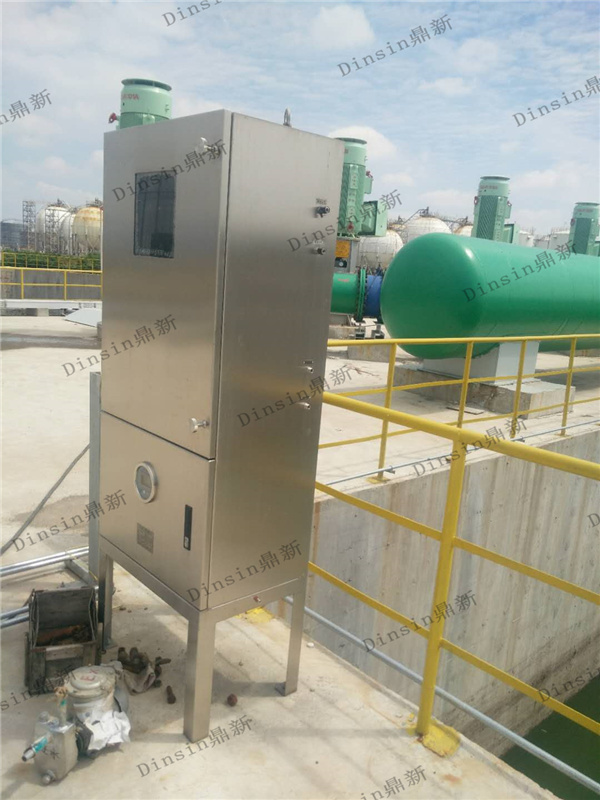
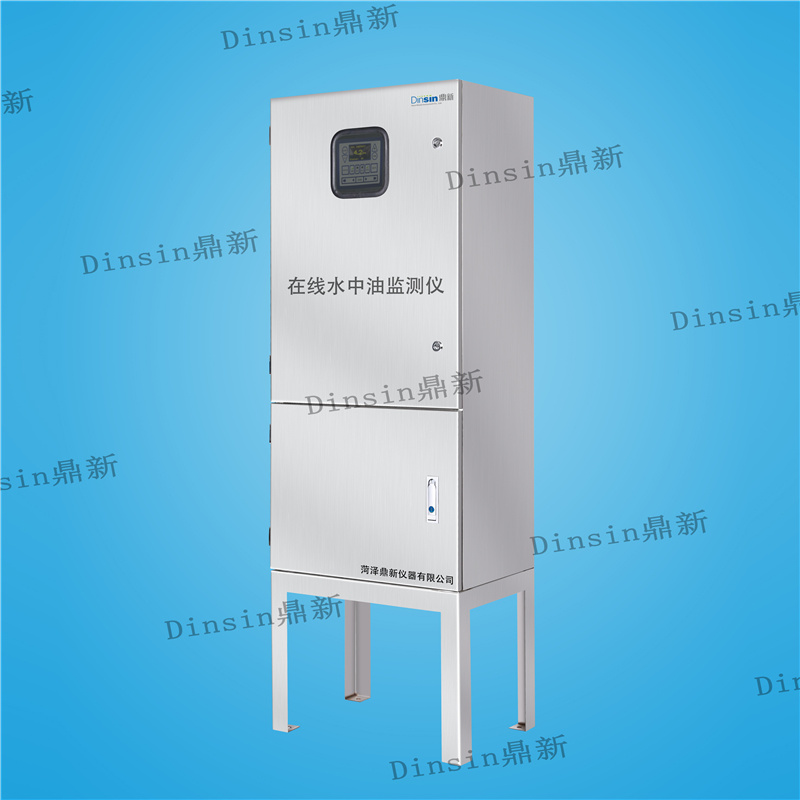
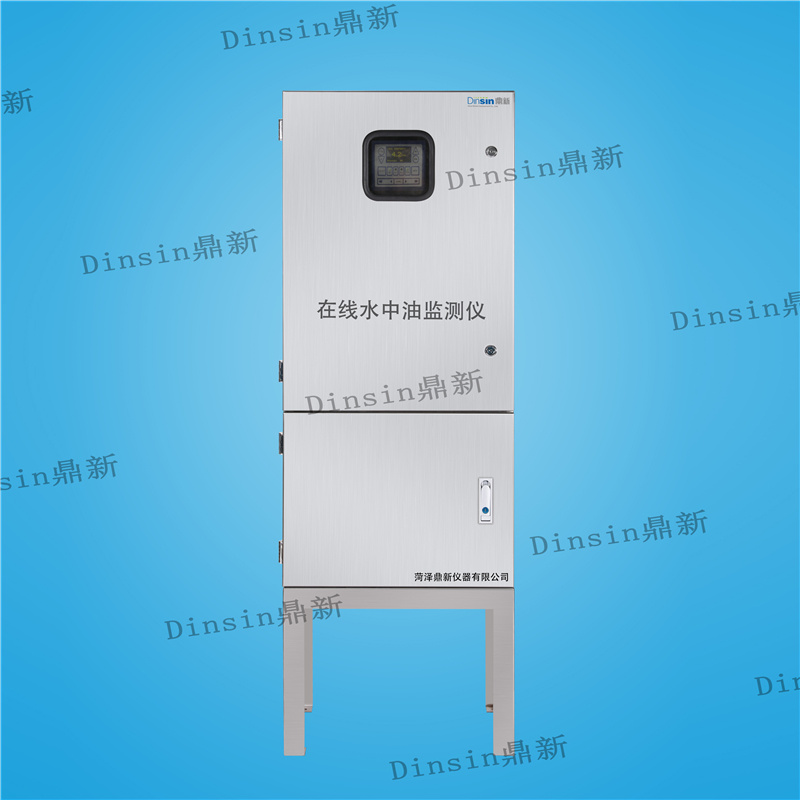
Intelligent oil-in-water monitor
Category:
Online oil-in-water monitor
Keywords:
Intelligent oil-in-water monitor
Tel:
Email:
- Commodity name: Intelligent oil-in-water monitor
- Product Description
- Technical parameters
- Device maintenance and precautions
- Explosion-proof certificate
-
- Commodity name: Intelligent oil-in-water monitor
- Commodity ID: 1354058158447415296
The oil-in-water monitor is specially designed for use with oil-water separation equipment. Based on industrial instrument technology and 15ppm oil-in-water monitoring equipment, an oil-in-water analyzer was designed. Its excellent performance exceeds the requirements of the International Maritime Organization resolution MEPC.107(49) for 15ppm bilge alarm performance.
The oil-in-water monitor is specially designed for use with oil-water separation equipment. It is designed based on industrial instrument technology and 15ppm oil-in-water monitoring equipment. Its performance exceeds the 15ppm bilge alarm requirement of the International Maritime Organization resolution MEPC.107(49).
The device has two adjustable alarm points, factory set at 10ppm. Other alarm points (e.g., 100ppm) can be adjusted using the panel buttons on site.
If the measured value exceeds the alarm point, the indicator light on the panel will illuminate and the relevant relay will activate.
If the instrument malfunctions, the LED system on the panel will change from a flashing green light to a permanent red light, and the system fault relay will activate. The device has a 0(4)-20mA signal output for driving a recorder or external instrument.
Important Notes:
1) This monitor must be installed and operated according to the operating manual to avoid unsafe situations.
2) The components mentioned in the operating instructions are not necessarily provided with the instrument at the time of sale, and the instrument may be equipped with other components.
3) Installation and maintenance must be performed by qualified personnel.
4) This monitor must be properly grounded.
5) Power must be turned off before performing any maintenance work.
6) If applicable, installation and maintenance should prioritize compliance with national or local regulations, followed by the instructions in this manual.
7) In freezing environments, the water in the measuring cell must be completely drained.
Installation:
The oil-in-water analyzer monitor should be installed as close as possible to the sampling point to minimize response delay.
During installation, the oil-in-water monitor should be vertical to the horizontal plane, with the display at eye level. Sufficient space should be reserved on all sides for maintenance.
Avoid deformation of the casing or damage to the instrument during piping.
Ensure that airflow is unobstructed to the measuring cell. Parts on the measuring cell may heat up when the sample temperature is high. If the sample temperature is expected to be high, apply warning labels and take protective measures – do not touch hot parts to avoid burns.
Precautions:
a. When oily water sample flows through the monitor, the measured oil content value will be displayed.
b. If the oil concentration exceeds the set point, alarm indicator 1 will illuminate after a selected time delay. Then the alarm indicator will remain illuminated and the connected alarm relay will activate. Similarly, alarm indicator 2 will illuminate, and the connected alarm relay will take appropriate shutdown action.
-
Main Technical Parameters:
Range:0-200ppmResolution<10ppm:0.1ppmAccuracy<10ppm, up to ±1ppmResponse Time<5sSample Water PressureMaximum 10barSample FlowApproximately 2L/minSample Water TemperatureUp to 90℃Power Supply:24V-240V AC or DCPower Consumption:< 10 VAppm Alarm2 adjustable (independent, full range, default set to 10.0ppmppm Alarms Delay2 adjustable (independent, 1s-540s)ppm Alarm Visual IndicationIndication2 red LEDsppm Alarm Contact Rating:Rating:Voltage-free 1-pole changeover contact, 3 A/240 VACSystem Fault Alarm Visual Indication:Visual Indication:Red LEDSystem Fault Alarm Contact Rating:Alarm Contact Rating:Voltage-free 1-pole changeover contact, 3 A/240 VAC -
Operation and Maintenance:
a. Flush with clean water;
b. Disconnect the sample and oil-free clean water;
c. Loosen the screws and remove the measuring cell cover;
d. Use an appropriate bottle brush (Part Number: 77555) to clean the measuring cell up and down several times;
e. Remove the brush and replace the cover;
f. Reconnect the oil-free clean water and let it circulate for several minutes;
g. Observe whether the display shows a value in the range of 0~2, otherwise clean again;
h. Check the desiccant (Section 10.4, TEST button). The desiccant status display will indicate whether the desiccant can still be used. If the desiccant status is not good, it should be replaced. In addition, the measuring cell dew point should also be checked. The dew point should be below the sample temperature and clean water temperature. Insufficient desiccant will cause condensation inside the measuring cell, leading to incorrect measurement results or damage to the optical components. The desiccant cap can be removed to replace the desiccant container. Simply unscrew the desiccant cap and use a new desiccant container (Part Number: 79550). Please make sure to tighten the desiccant cap. The new desiccant can absorb the humidity of the measuring cell for a period of time;
i. Restore sample flow.
Operating Instructions:
a. Provide a clean, dry, oil-free instrument ventilation environment;
b. Manually clean the measuring device irregularly according to Section 12.0 and keep the automatic cleaning system running normally.
-

Customer satisfaction is the standard for testing product quality. Listen to the voice of customers, grasp the needs of customers, define quality standards with customer satisfaction, and do everything possible to improve customer satisfaction and loyalty. Insist on doing things right the first time and strive to provide customers with reliable products and services.
Contact Information
Address: B2 Building, Jiwei Pharmaceutical Industrial Park, Gaoxin District, Heze City, Shandong Province